Published 11 August 2026
Technology
Best Mobile App to Convert Images Into Text Without Typing
We frequently come across images containing text in our everyday life. It can be a screenshot, receipt, handwritten message, or even a book page. However, the issue with them is that we cannot use text inside an image until we extract it.
If we choose the manual way of extracting the image text, we have to type it completely. However, this approach is time-consuming, and errors may occur during the process. OCR technology saves us from this problem because it can recognize and extract the text from the picture automatically.
There are a lot of online OCR tools available nowadays, so it is necessary to choose the correct one. This article aims to solve this problem – I will introduce a mobile application, based on my personal experience, that can help you convert images into text easily and quickly.
- Image-to-text conversion makes information stored in screenshots, scans, and photos easier to search, edit, and organize.
- OCR apps can save time by quickly extracting text from images without requiring manual typing.
- Accuracy, speed, formatting, language support, and ease of use are important factors when choosing an image-to-text app.
- The OCR Image To Text Converter offers features such as multiple language support, processing history, and batch processing.
- Students, professionals, office workers, content creators, and travelers can all benefit from image-to-text technology.
- Clear images, proper lighting, straight text, and uncropped documents can significantly improve OCR accuracy.
- Always review extracted text before using it for important or official purposes, as OCR may occasionally make mistakes.
Why Converting Images Into Text Has Become So Important
The need for image-to-text has grown rapidly worldwide. That’s because of the digital age we are living in today. Much of the information we encounter today is shared digitally, including screenshots and scanned documents. Be it lecture notes, business cards, or invoices, most people rely on their smartphone camera to capture information quickly, which may later be extracted with the help of OCR.
This shift from image to text conversion hasn’t only been driven by the digital trend but also by productivity. According to a report by Adobe, about 48% of employees say they struggle to find digital documents/images quickly. That’s because the text inside those digital images can’t be searched or located easily.
Image-to-text conversion solves this problem. When text is extracted, it becomes much easier to search and locate information through specific keywords.
What Makes a Great Image to Text App?
A great image-to-text app can be defined by a few key factors that really matter. These are as follows.
- Accuracy is the most crucial factor. Even small errors can make the output unusable.
- Speed matters too. When you are working on tasks with a tight deadline or scanning multiple documents, you need quick conversion.
- Clean formatting is another key factor. A good app shouldn’t just extract text, but also keep the output structured and readable.
- Support for multiple languages is very useful. Professionals often have to deal with diverse content in different languages.
- Other features like real-time scanning, offline access, and processing history can make a big difference.
Best App for Image to Text Conversion (From a Practical Perspective)
Now that we know what makes an image-to-text app great, the next step is choosing the one that delivers in real use. Considering the factors we've discussed and from a practical perspective, I chose OCR Image To Text Converter. Its ease of use, compatibility with various image formats, and consistent results are what make the app stand out.
Rather than just relying on words, it makes more sense to practically test it. This will help us understand how it performs in real scenarios and whether it really lives up to the expectations.
- First of all, download the app from the Google Play Store through the provided link.
- Open the app, and either capture a photo with the camera or upload an image from your device.
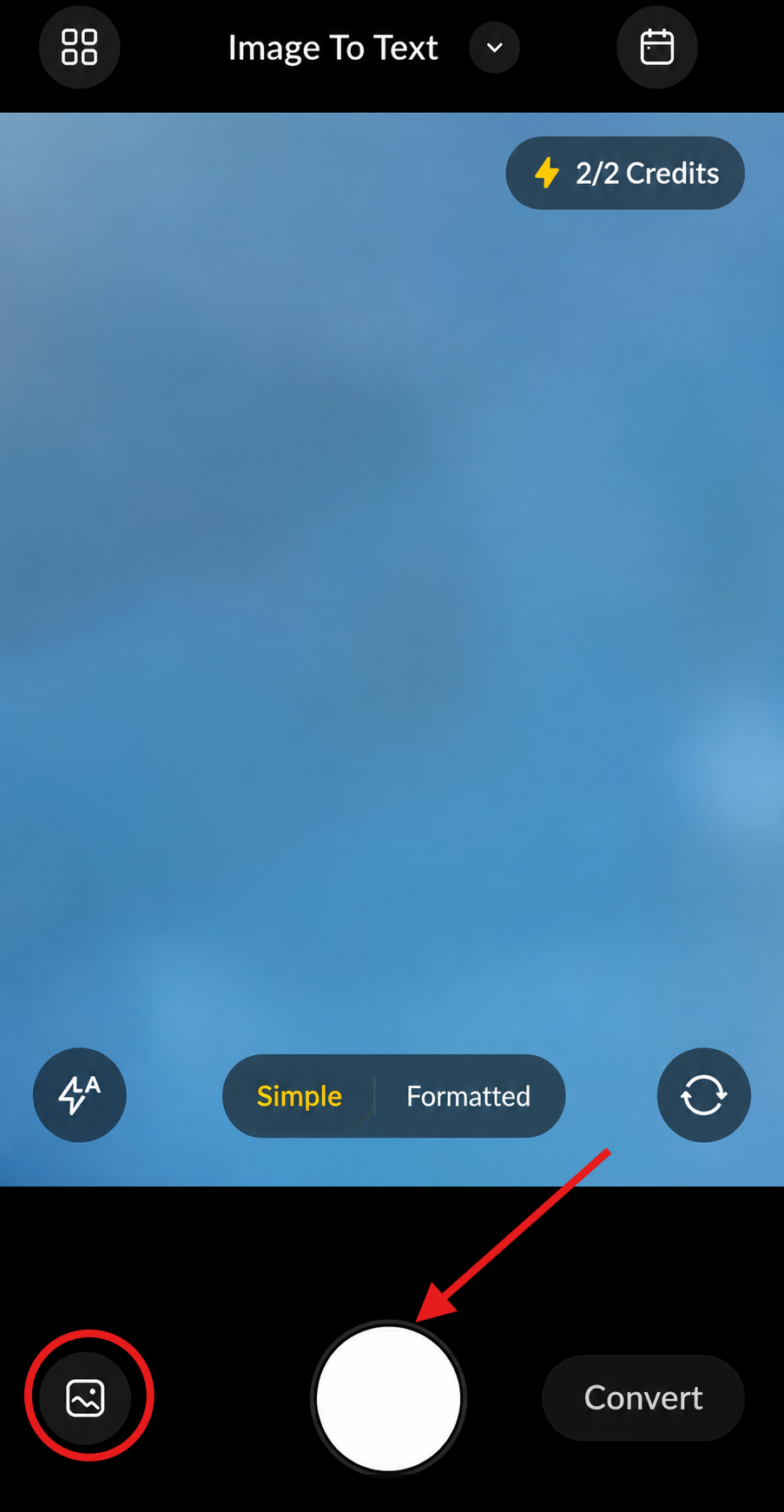
- Select ‘Simple’ for plain text and ‘Formatted’ for complex text, and click on the “Convert” button.
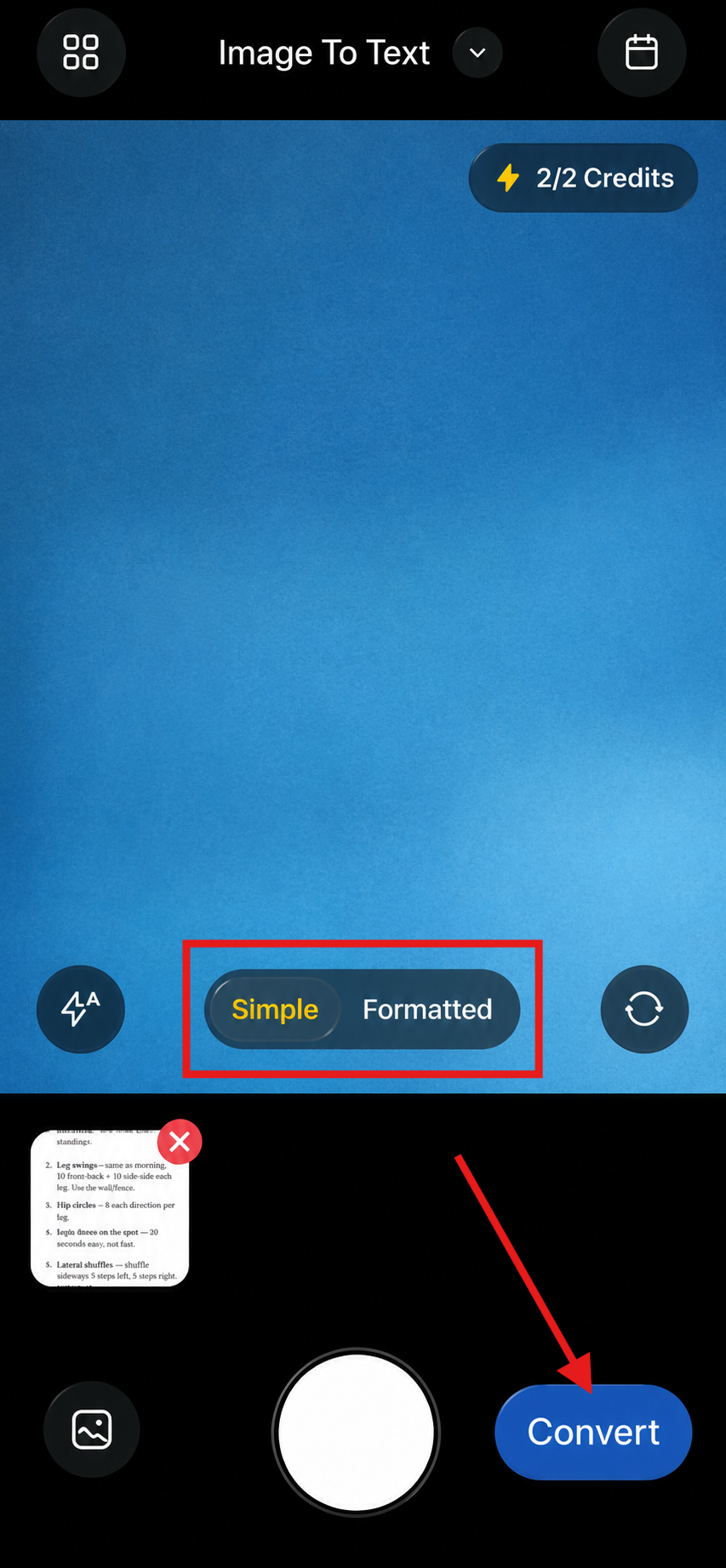
- As soon as you click the Convert button, a screen like this will appear:
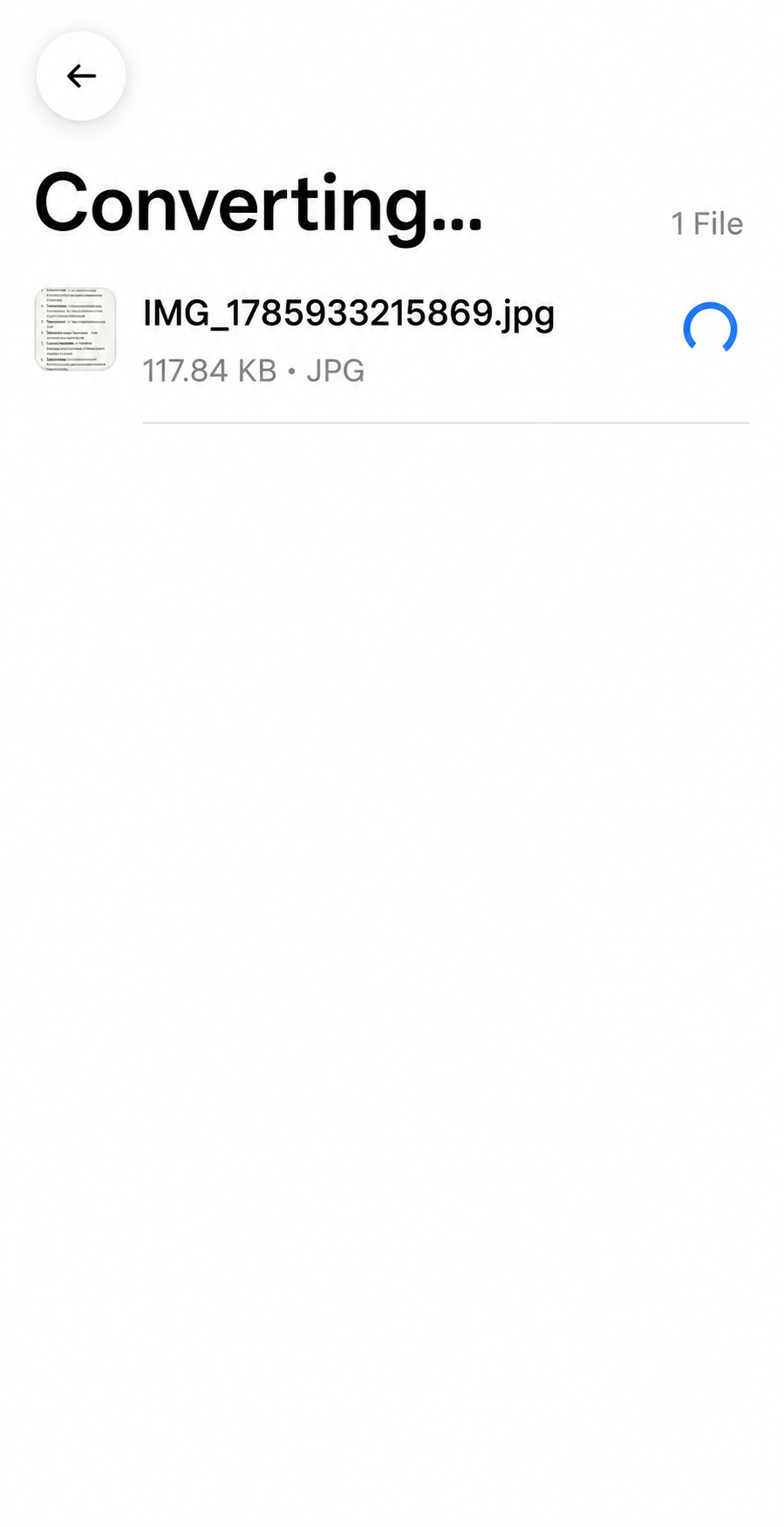
- And, just within a few seconds, you’ll get the extracted text, which can be copied or downloaded as a Word, PDF, or TXT file.
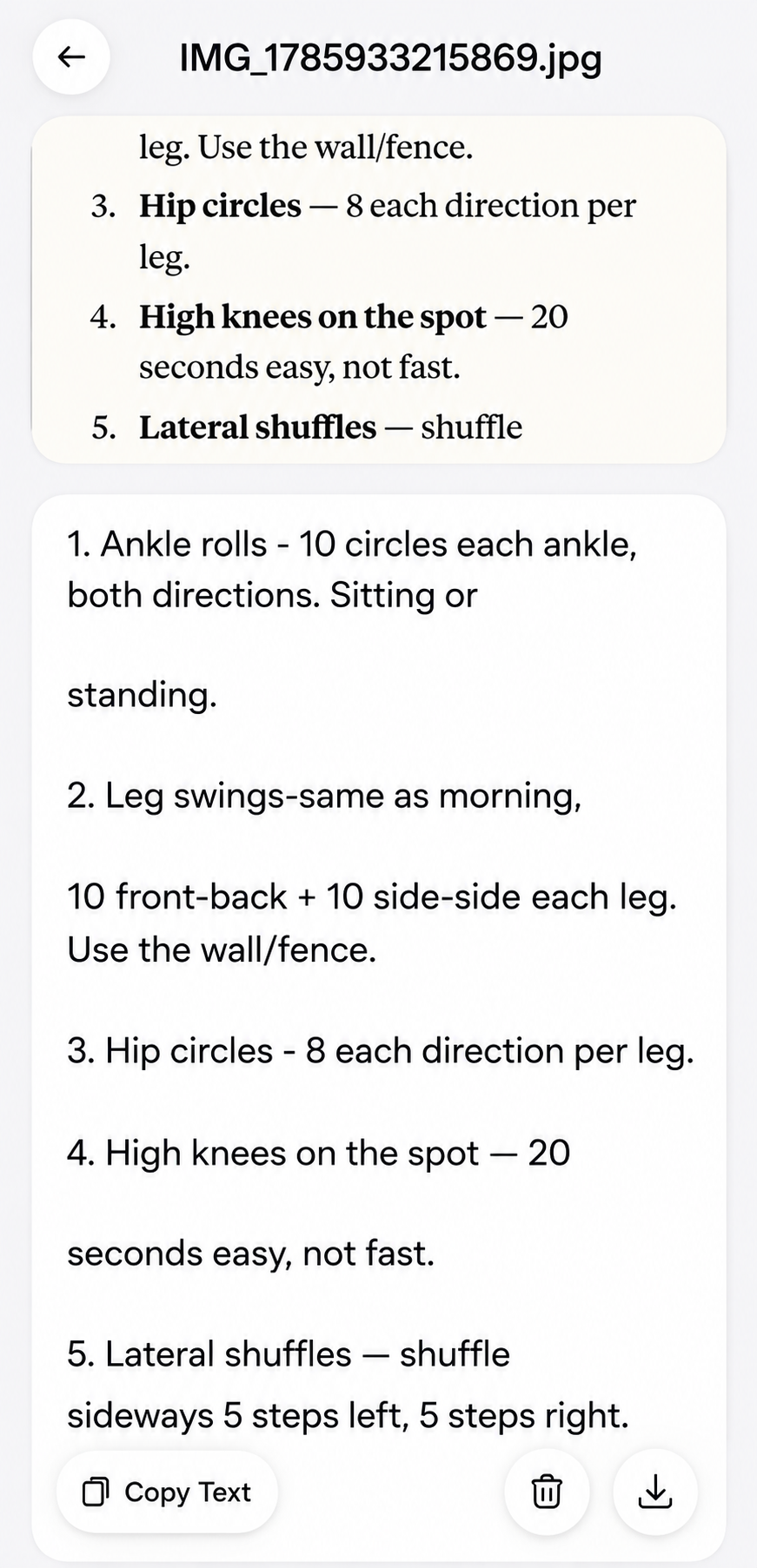
That’s how simple and quick it is to use the app for image-to-text conversion. It’s available in multiple languages, saves your work history, and allows batch processing too (may require purchasing a subscription).
From what I’ve noticed, the main strength of this app is reliably extracting text from images without any complex setup. It also manages formatting well, which matters a lot in regular use.
Who Can Benefit Most from an Image to Text App
An image-to-text app is useful for a wide range of users. People who work with printed documents, notes, foreign languages, and similar materials can benefit from it.
- Students (lecture notes, assignments, whiteboard snaps)
- Professionals (Business cards, reports, printed documents)
- Office Users (Forms, invoices, receipts)
- Content Creators (quotes, books, research material)
- Travelers (signs, menus, printed information)
Tips for Getting the Most Accurate OCR Results
To get the best OCR output, follow these instructions:
- Capture sharp images. Blurry pictures may decrease the level of accuracy. Additionally, ensure that you place the document on a flat surface before taking the picture.
- Lighting is important, but avoid glare or shadows, as they may obscure parts of the text. Natural light often gives the best results.
- Keep the text straight, and make sure that nothing gets cropped. Incomplete or crooked text can confuse OCR engines.
- Always review the output provided by OCR apps/tools. Even the best OCR apps may occasionally make small mistakes, so carefully verify it before official use.
Frequently Asked Questions
Quick answers related to this article from PerfectionGeeks.
1. What is the best way to convert an image into text?
2. How accurate is image-to-text conversion?
Conclusion
Converting images into text is not just a convenience anymore. Rather, it has become a necessity now. Having the right app on your mobile for image-to-text conversion can save a lot of valuable time and effort.
Using reliable OCR software and applying specific techniques helps organize and utilize your data more effectively and simplifies the performance of many daily tasks in due course.

Devanshi specializes in SEO-focused content for AI, web, and mobile app development. She crafts user-centric, search-optimized content that enhances online visibility, strengthens brand authority, and supports sustainable organic growth through strategic content marketing and audience-focused communication.