
Published 30 March 2026 | Updated 30 March 2026
App
How to Use SonarQube to Improve Your NodeJS Code Quality, Performance, and Code Security
In modern application development, maintaining clean, secure, and high-performing code is more challenging than ever—especially for scalable Node.js applications. As projects grow, issues like bugs, vulnerabilities, code duplication, and performance bottlenecks can silently degrade your product.
This is where SonarQube becomes a game-changer.
As a leading development partner, PerfectionGeeks leverages SonarQube to help businesses build robust, scalable, and secure Node.js applications. In this comprehensive guide, you’ll learn how to use SonarQube effectively to enhance code quality, performance, and security.
What is SonarQube?
SonarQube is an open-source platform used for continuous inspection of code quality through static analysis. It automatically detects:
- Bugs
- Code smells
- Security vulnerabilities
- Code duplication
It analyzes code without executing it, allowing developers to identify issues early in the development lifecycle.
Why Use SonarQube for Node.js?
Node.js applications often deal with asynchronous operations, APIs, and large-scale architectures. Maintaining quality in such systems is critical.
SonarQube helps by:
- Detecting runtime bugs early
- Identifying inefficient logic and performance issues
- Ensuring compliance with security standards like OWASP
Key Benefits of SonarQube
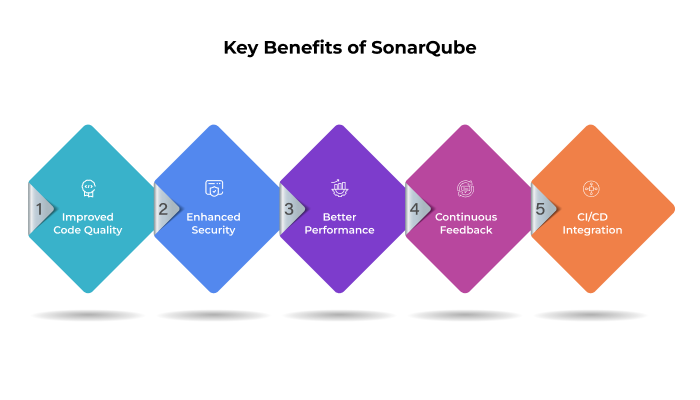
1. Improved Code Quality
SonarQube identifies code smells, duplication, and maintainability issues, helping developers write cleaner code.
2. Enhanced Security
It performs static application security testing (SAST) to detect vulnerabilities like:
- Hardcoded credentials
- Injection flaws
- Unsafe APIs
3. Better Performance
SonarQube flags performance anti-patterns such as:
- Inefficient loops
- Memory leaks
- Blocking async operations
4. Continuous Feedback
Developers receive instant feedback through dashboards and IDE plugins, improving productivity.
5. CI/CD Integration
It integrates seamlessly with pipelines to ensure only high-quality code is deployed.
How SonarQube Works
SonarQube operates using a simple architecture:
Core Components:
- SonarQube Server – Processes analysis and displays reports
- Scanner – Analyzes code and sends results
- Database – Stores metrics and history
It scans your codebase and generates reports on:
- Bugs
- Vulnerabilities
- Code coverage
- Technical debt
Step-by-Step Guide to Using SonarQube with Node.js
Step 1: Set Up SonarQube Server
- Download and install SonarQube
- Start the server
- Access dashboard: http://localhost:9000
- Create a new project and generate an authentication token
Step 2: Configure Your Node.js Project
Ensure your project has:
- package.json file
- Proper folder structure
Install SonarQube scanner:
npm install --save-dev sonarqube-scanner
Step 3: Create Sonar Configuration File
Create a sonar-project.properties file:
sonar.projectKey=my_project
sonar.sources=src
sonar.host.url=http://localhost:9000
sonar.login=your_token
sonar.exclusions=**/node_modules/**
This defines:
- Project identity
- Source code location
- Exclusions
Step 4: Generate Test Coverage Reports
Use tools like Jest to generate coverage:
npm run test --coverage
This creates an lcov.info file for analysis.
Step 5: Run Sonar Scanner
Execute analysis:
npx sonar-scanner
This sends data to the SonarQube server.
Step 6: Review Dashboard Reports
After scanning, SonarQube provides detailed insights:
- Bugs and issues
- Code coverage
- Security vulnerabilities
- Maintainability score
Common Node.js Issues Detected by SonarQube
| Issue Type | Example | Impact |
|---|---|---|
| Code Smells | Duplicate logic | Hard to maintain |
| Bugs | Null/undefined errors | Runtime failures |
| Security Issues | Hardcoded secrets | Data breaches |
| Performance Issues | Inefficient loops | Slow execution |
| Technical Debt | Poor structure | Increased costs |
Improving Code Quality with SonarQube
SonarQube improves code quality by identifying:
- Large functions
- Poor naming conventions
- Duplicate code
- Dead code
Example Problem:
if (user) {
if (user.name) {
if (user.name.first) {
console.log(user.name.first);
}
}
}
Improved Code:
console.log(user?.name?.first);
Cleaner code improves readability and maintainability.
Improving Performance with SonarQube
SonarQube detects performance anti-patterns such as:
❌ Inefficient Code:
for (let i = 0; i < arr.length; i++) {
arr.forEach(item => {
// heavy logic
});
}
✅ Optimized Code:
arr.forEach(item => {
// optimized logic
});
It also identifies:
- Blocking operations
- Memory leaks
- Redundant computations
Improving Security with SonarQube
Security is critical in Node.js apps, especially APIs.
SonarQube detects:
- SQL injection risks
- Hardcoded passwords
- Weak encryption
- Unsafe API usage
It aligns with industry standards like OWASP and CWE, ensuring secure applications.
Integrating SonarQube with CI/CD
SonarQube works best when integrated into CI/CD pipelines:
Popular Integrations:
- GitHub Actions
- GitLab CI
- Jenkins
- Azure DevOps
Benefits:
- Automatic code scanning
- Real-time feedback
- Quality gate enforcement
Only code that passes quality checks gets deployed.
What Are Quality Gates?
Quality gates are predefined conditions like:
- No critical bugs
- Minimum test coverage
- No security vulnerabilities
If code fails, deployment is blocked.
This ensures only high-quality code reaches production.
How SonarQube Reduces Technical Debt
Technical debt refers to the cost of fixing poor code later.
SonarQube:
- Identifies problematic code
- Estimates fix time
- Helps prioritize refactoring
This leads to:
- Faster development
- Lower maintenance cost
- Better scalability
Best Practices for Using SonarQube
1. Integrate Early
Use SonarQube from the beginning of development.
2. Automate Everything
Integrate with CI/CD for continuous analysis.
3. Fix Issues Immediately
Don’t let issues accumulate.
4. Use SonarLint
Get real-time feedback in your IDE.
5. Customize Rules
Adjust rules based on your project needs.
Before vs After Using SonarQube
| Metric | Before SonarQube | After SonarQube |
|---|---|---|
| Code Quality | Inconsistent | Standardized |
| Bugs | High | Reduced |
| Security Risks | Unknown | Identified & fixed |
| Performance | Unoptimized | Improved |
| Maintainability | Difficult | Easy |
How PerfectionGeeks Helps
At PerfectionGeeks, we go beyond basic development by integrating tools like SonarQube into every stage of the development lifecycle.
Our Services Include:
- Node.js application development
- SonarQube integration & setup
- Code audit and optimization
- Security testing and compliance
- CI/CD pipeline automation
We ensure your applications are:
✔ Secure
✔ Scalable
✔ High-performing
✔ Maintainable
Future of Code Quality with SonarQube
As software complexity increases, tools like SonarQube will become essential for:
- AI-driven code analysis
- Automated fixes
- Continuous quality monitoring
Businesses that adopt such tools early gain a competitive advantage.
Frequently Asked Questions
Quick answers related to this article from PerfectionGeeks.
1. What is SonarQube and how does it work with Node.js?
2. How does SonarQube improve Node.js application performance?
3. Can SonarQube help in securing Node.js applications?
4. Is SonarQube suitable for small Node.js projects?
5. How can PerfectionGeeks help with SonarQube implementation?
Conclusion
Maintaining high-quality Node.js code is not just a best practice—it’s a necessity for modern businesses.
SonarQube empowers developers to:
- Detect issues early
- Improve performance
- Strengthen security
- Reduce technical debt
By integrating SonarQube into your workflow, you create a culture of continuous improvement and excellence.
Partner with PerfectionGeeks to implement advanced tools like SonarQube and transform your development process into a high-performance, secure, and scalable system.

Written By Shrey Bhardwaj
Director & Founder
Shrey Bhardwaj is the Director & Founder of PerfectionGeeks Technologies, bringing extensive experience in software development and digital innovation. His expertise spans mobile app development, custom software solutions, UI/UX design, and emerging technologies such as Artificial Intelligence and Blockchain. Known for delivering scalable, secure, and high-performance digital products, Shrey helps startups and enterprises achieve sustainable growth. His strategic leadership and client-centric approach empower businesses to streamline operations, enhance user experience, and maximize long-term ROI through technology-driven solutions.