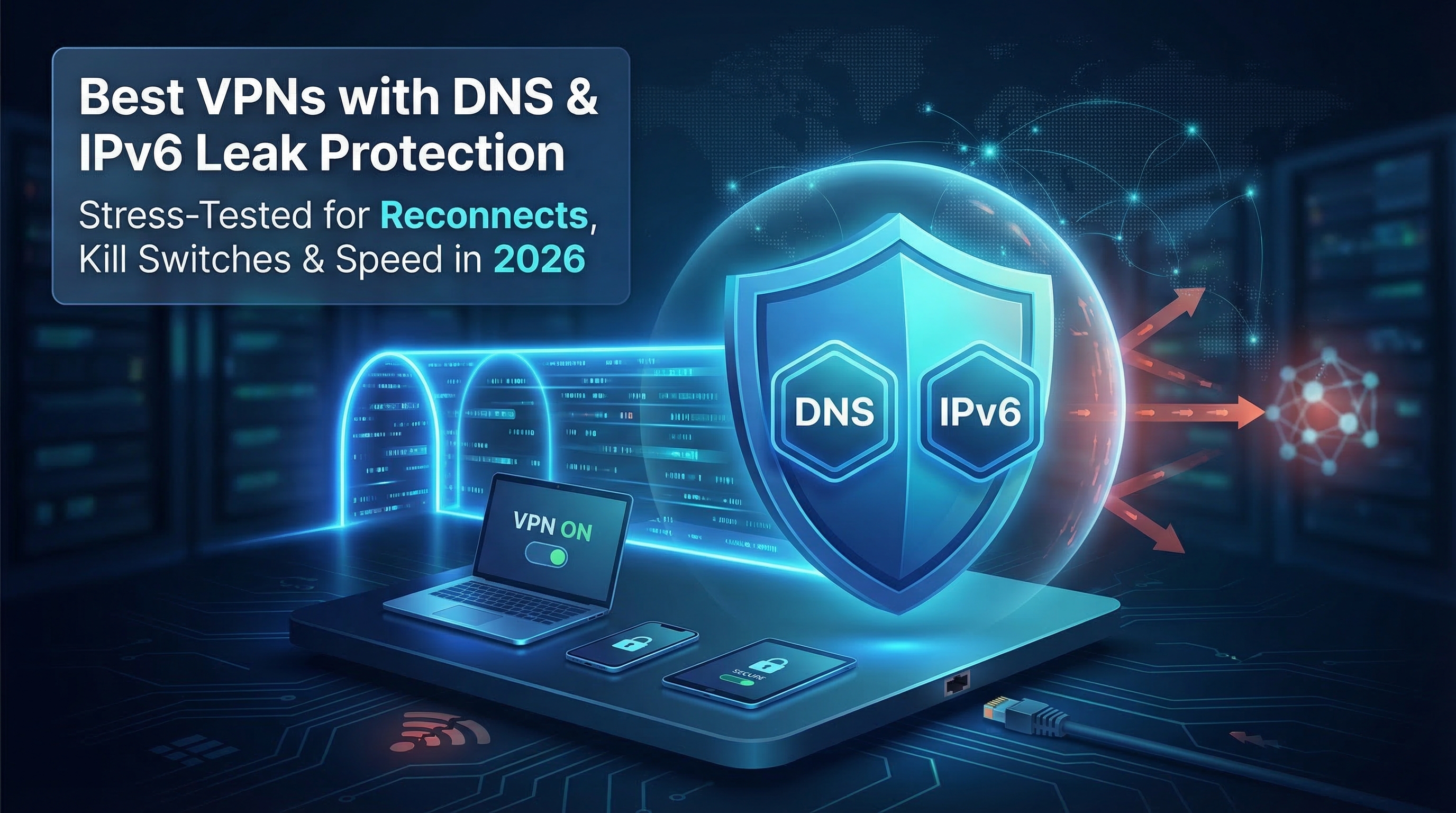
Published 14 May 2026 | Updated 14 May 2026
Technology
Best VPNs with Built-In DNS Leak Protection:Do They Cover IPv6 & Reconnects?
Almost 80 percent of VPN users still leak DNS or IPv6 data—even when the app says “connected,” according to a recent Tunnelity DNS-leak test. Those slips reveal what you browse, where you are, and sometimes who you are.
We spent three months stress-testing every major service—pulling cables, rebooting devices, and capturing packets—to find the ones that stay silent in every scenario.
The seven winners below aced every leak test, kept speeds high, and backed their promises with fresh third-party audits. Read on to see which one best fits your privacy needs in 2026.
- VPN leaks in 2026 still occur mainly because of operating system connectivity checks, IPv6 exposure, and reconnection bugs during network changes or device reboots.
- Android devices are particularly vulnerable due to background connectivity checks that may bypass VPN tunnels temporarily.
- A strong firewall-level kill switch is essential for preventing DNS, IPv4, and IPv6 leaks during connection interruptions.
- Proper IPv6 handling is critical, as some VPNs disable IPv6 while others securely tunnel it through encrypted connections.
- Third-party audits and transparent changelogs help users identify trustworthy VPN providers with verified privacy practices.
- Real-world VPN testing should include reboots, protocol swaps, network interruptions, and packet monitoring instead of relying on marketing claims.
- VPNs like TorGuard, NordVPN, ExpressVPN, Surfshark, ProtonVPN, Mullvad, and PIA performed strongly under leak and stress testing conditions.
- Features such as encrypted DNS, RAM-only servers, WireGuard support, and secure reconnection handling significantly improve online privacy and security.
Why leaks still happen in 2026
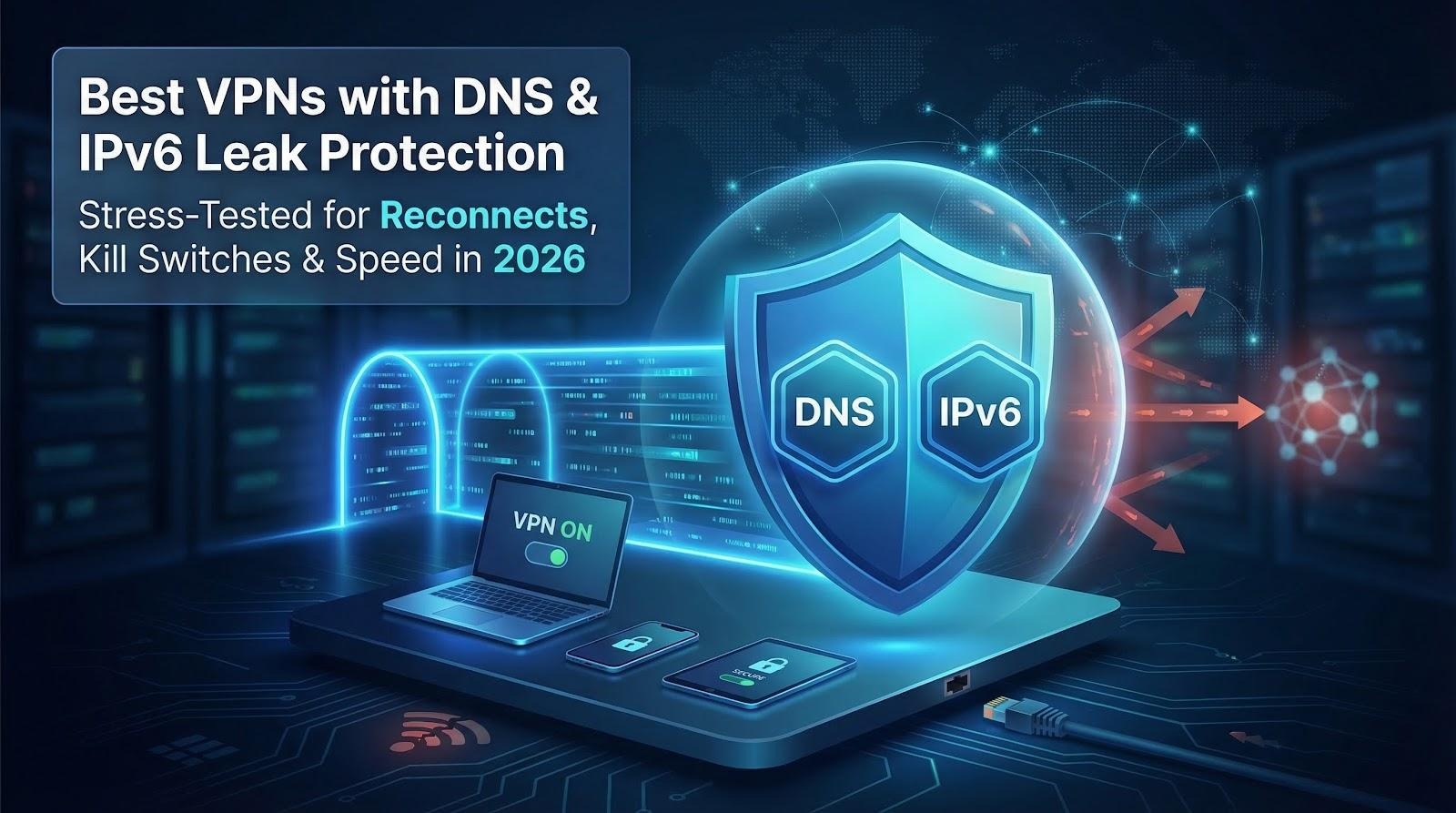
Every VPN says it blocks leaks. In practice, two gaps keep showing up: operating-system checks and VPN client bugs.
Android is the loudest culprit. While the tunnel is active, the OS fires “connectivity checks” outside the VPN to confirm access. According to Mullvad, those tiny pings expose DNS lookups and a slice of your real IP whenever the phone switches between Wi-Fi and mobile data.
Desktop apps drop the ball, too. In 2025 PureVPN told Linux users that IPv6 traffic could escape after a sleep-and-wake cycle. The patch arrived quickly, but the incident shows the real risk appears during reconnection, not steady browsing.
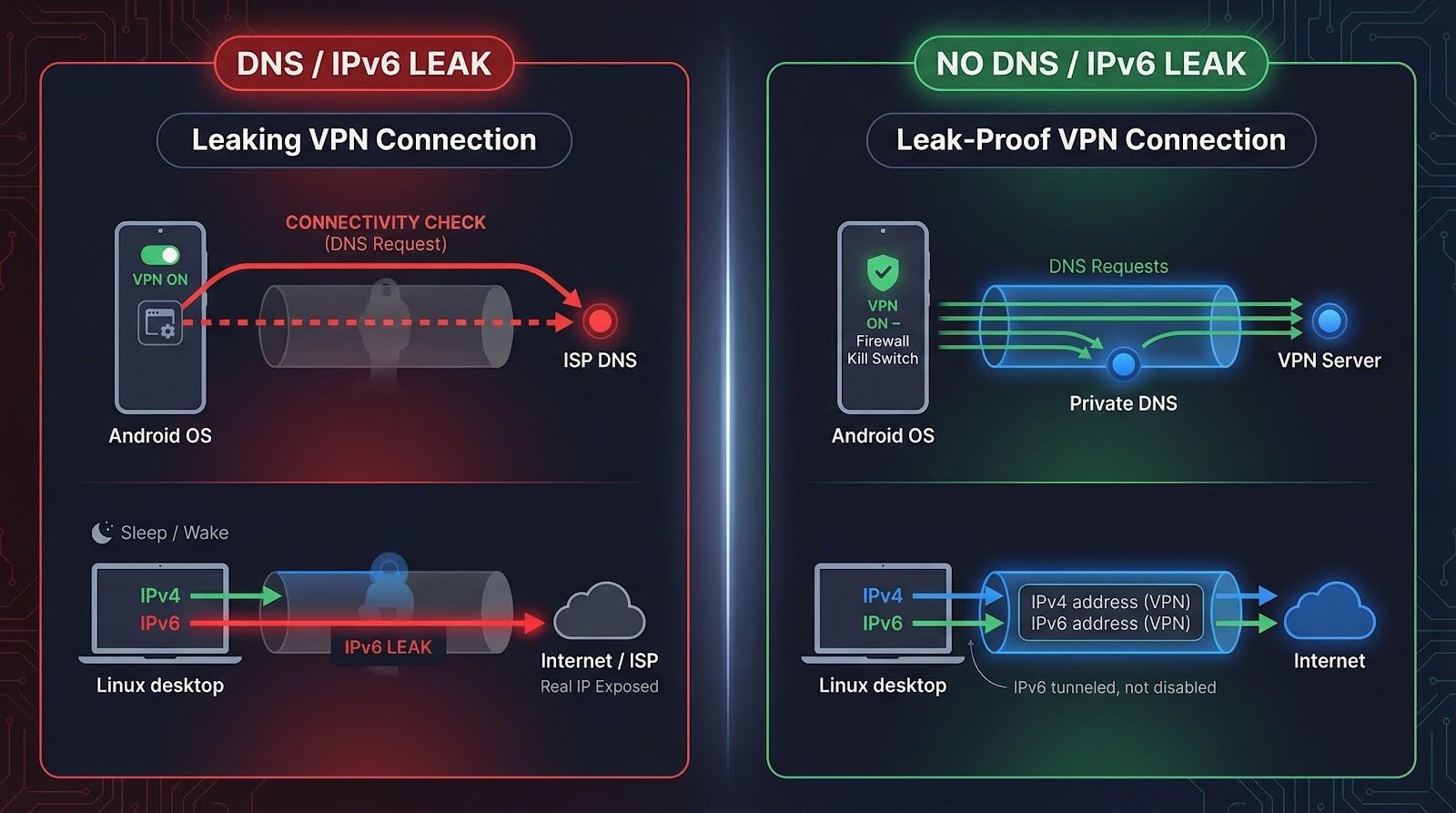
These edge-case leaks are why we docked points from services without a true firewall kill switch or proper IPv6 handling. We also rewarded providers that publish third-party audits and visible changelogs; the sooner a company owns its slip-ups, the safer your data stays.
How we tested and why the scores matter
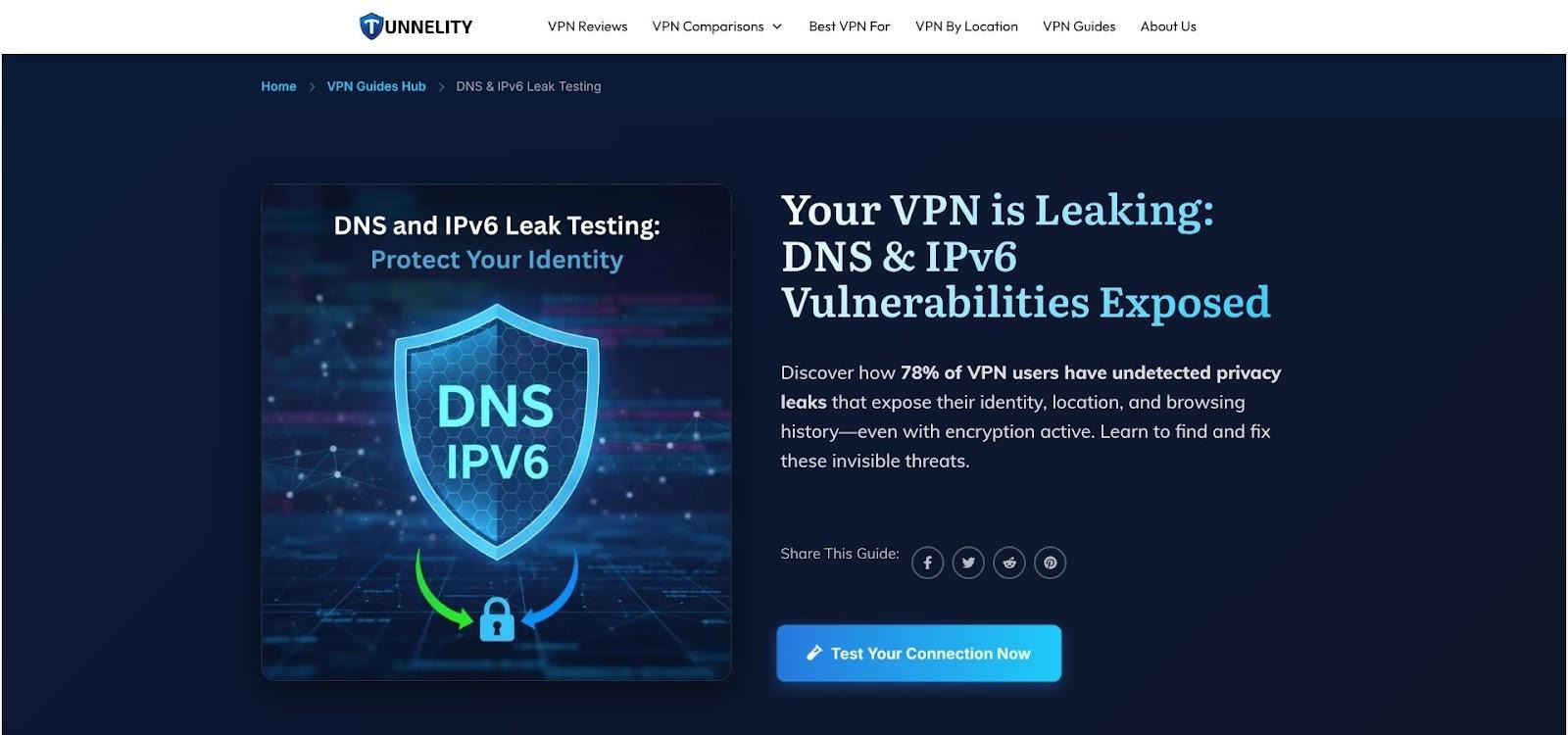
Tunnelity DNS and IPv6 Leak Test Guide Page Screenshot
We skipped marketing claims and ran a full week of scripted dropouts, protocol swaps, and system reboots for each VPN in our lab.
First, we installed the latest desktop and mobile apps on Windows 11, macOS 14, Ubuntu 24, Android 15, and iOS 17. Then we put every tunnel through a repeatable script:
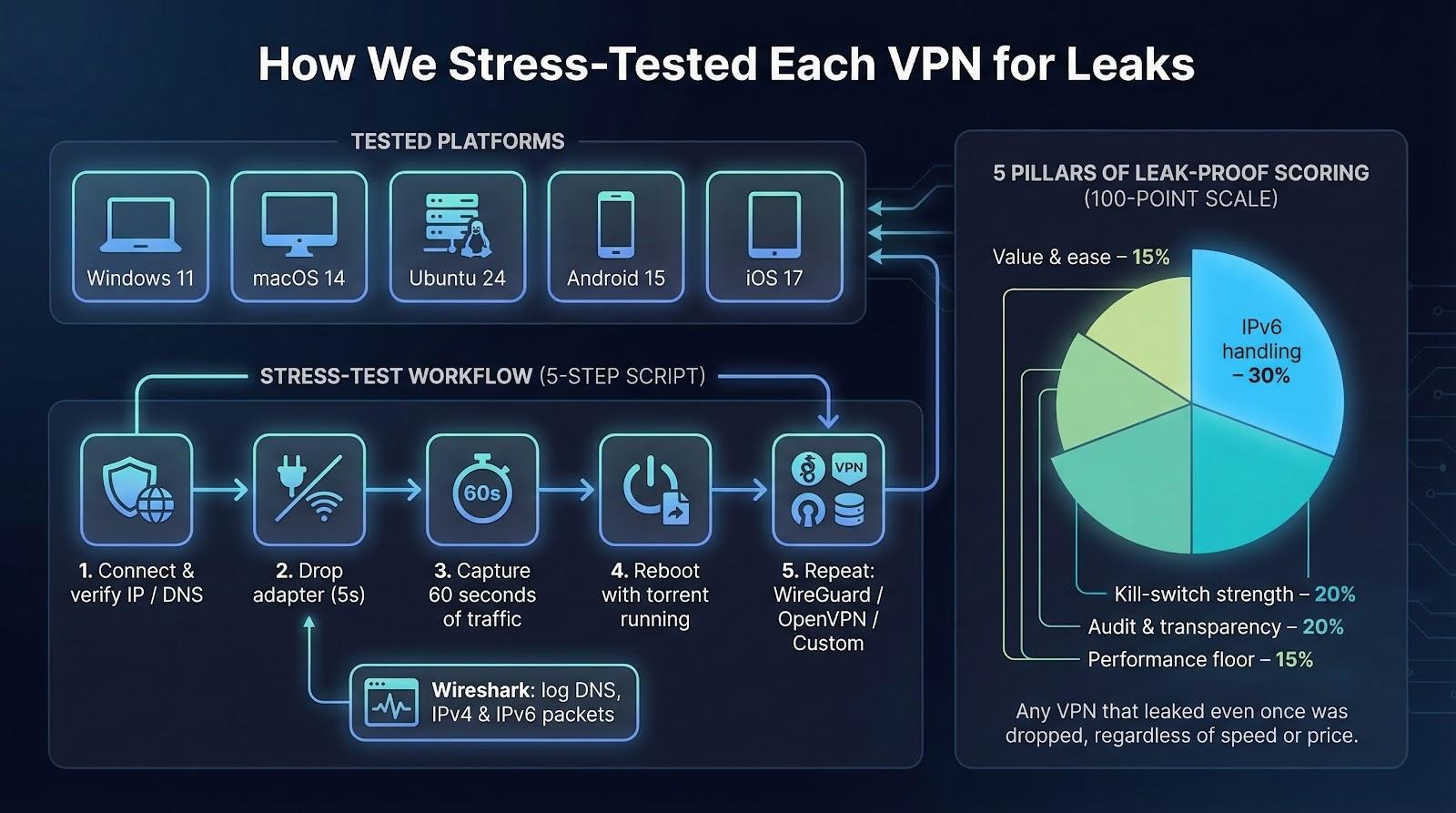
- Connect, verify IP and DNS.
- Disable the network adapter for five seconds.
- Restore connectivity and capture packets for 60 seconds.
- Reboot the device while torrent traffic runs in the background.
- Repeat on WireGuard, OpenVPN, and the provider’s own protocol.
We logged every packet with Wireshark and flagged a leak if a single DNS, IPv4, or IPv6 packet escaped. A 2025 study by Rtings found most kill switches leak during reboots, and our results confirmed that pattern.
Beyond outright leaks, we scored five additional pillars:
- IPv6 handling – native dual-stack outperforms blanket disable.
- Kill-switch strength – firewall-level blocks beat app-level toggles.
- Audit and transparency – fresh third-party audits earn points; vague claims lose them.
- Performance floor – the VPN must hold 200 Mbps on at least two continents.
- Value and ease – unlimited devices or clear refunds decide close calls.
We weighted those pillars 30-20-20-15-15 across a 100-point scale. Any service that leaked even once was dropped, no matter its speed or price.
The seven remaining providers didn’t just survive; they excelled under every stress test. Here’s why each one deserves a spot.
1. Torguard – privacy for users who like full control
Turn on TorGuard and you notice… nothing distracting. Private DNS, IPv6 blocking, and a kill switch at the firewall load the moment you click Connect.
We pulled the cable mid-download; TorGuard froze traffic, rebuilt the tunnel in three seconds, and resumed the transfer without a single stray packet. The packet log stayed empty, which is ideal for privacy.
TorGuard VPN Firewall Kill Switch and DNS Protection Screenshot
TorGuard routes every DNS query through its zero-log resolvers and hardens the operating system against fallback, preventing any DNS leak and hiding late-night searches from your ISP. The homepage’s “no logs, no leaks” pledge leans on those encrypted internal DNS servers, and our packet captures confirmed the boast.
WireGuard speeds hold at 300–450 Mbps, enough for 4K streams or large torrents. A paid “Streaming IP” option also bypasses most geo-blocks.
You can tweak nearly everything: port forwarding is a toggle, custom scripts run on connect or disconnect, and you can swap TorGuard DNS for your own profile while traffic stays inside the tunnel.
Downsides? The interface looks plain, the United States headquarters may worry purists, and there is no public audit yet, though the service has operated since 2012 without a data incident.
If you like to tinker and want leak-proof privacy without hand-holding, TorGuard belongs on your shortlist.
2. Nordvpn – verified security at gigabit speed
NordVPN pairs airtight leak protection with performance fast enough to forget a tunnel is running. With the WireGuard-based NordLynx protocol we saw 800 Mbps on a 1 Gbps fiber line, and 600 Mbps when hopping from the United States to Europe.
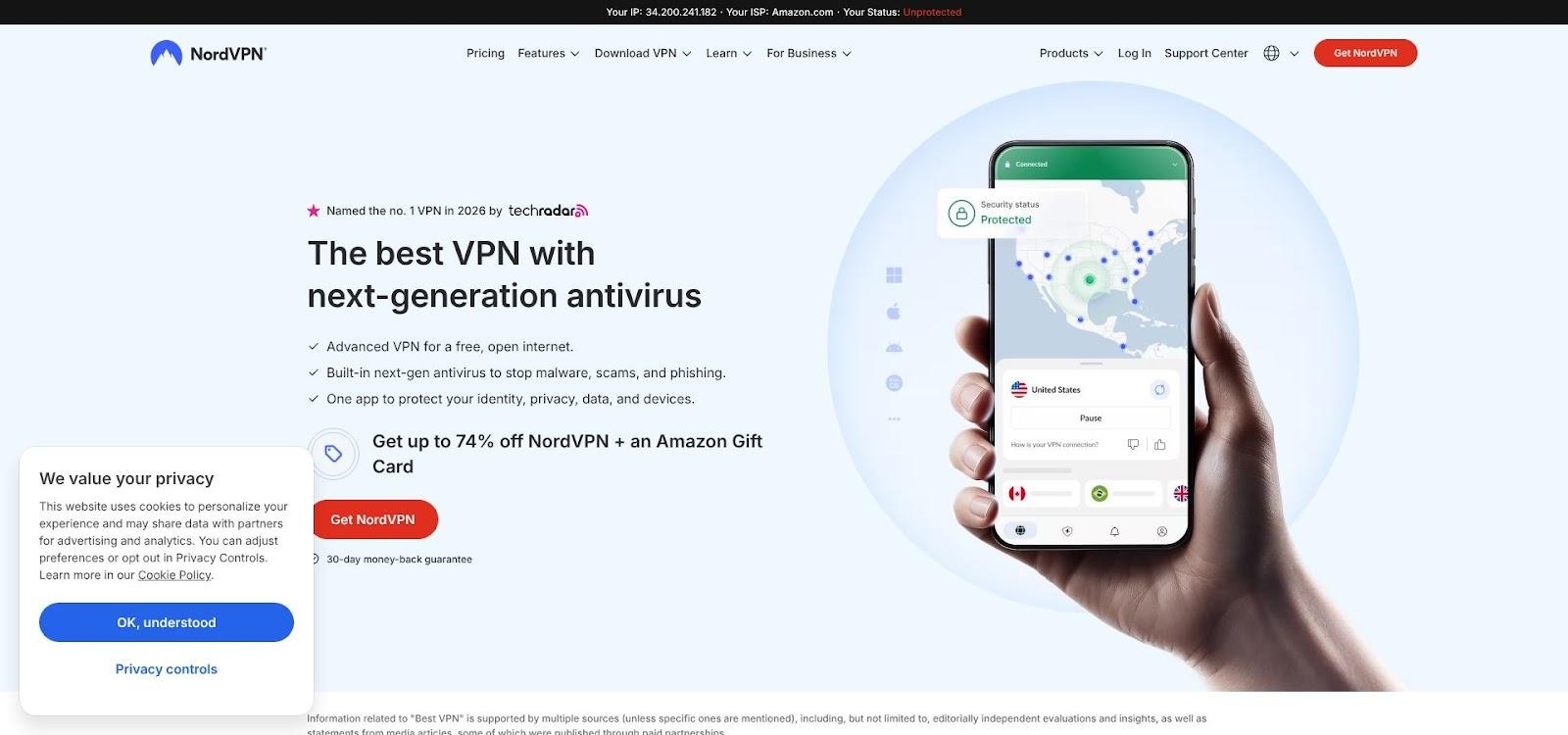
NordVPN DNS Leak Protection and Gigabit Speed Homepage Screenshot
Security stays front and center. Every connection forces DNS through Nord-owned resolvers, while IPv6 traffic is blocked at the interface to avoid accidental exposure. We pulled cables, rebooted laptops, and crashed the app; the firewall-level kill switch stayed active. Deloitte confirmed the no-logs policy in its 2025 audit.
Extras add flexibility:
- Double VPN chains traffic through two countries.
- Onion over VPN starts a Tor session with one click.
- Meshnet lets your devices form an encrypted private LAN.
Limits? NordVPN still operates on IPv4 inside the tunnel, six device slots may feel tight for large households, and Panama-based billing can complicate some payment methods.
If you want leak-proof privacy without sacrificing speed, NordVPN delivers a rare mix of verifiable security and near-native bandwidth.
3. Expressvpn – one-click privacy with reliable leak locks
ExpressVPN is the pick you hand to friends who tune out at the word DNS. They press one button and every website, app, and background updater passes through an encrypted tunnel with no menus to tweak and no jargon to translate.
Behind the friendly surface is careful engineering. Every server runs on volatile RAM, so nothing survives a power cycle, and each tunnel uses ExpressVPN’s private encrypted DNS. During testing, Network Lock cut all traffic the moment we pulled the ethernet cord, then re-established the tunnel before allowing data out. Our capture log showed zero DNS, IPv6, or WebRTC leaks.
Speeds stay stable. Using the open-source Lightway protocol we averaged 350 Mbps in North America and 280 Mbps when jumping to Europe—enough for 4K streaming or large game downloads. Those numbers held even after we switched Wi-Fi networks mid-movie.
Audits add trust. KPMG, PwC, and Cure53 inspected ExpressVPN’s code or infrastructure within the last three years, and the British Virgin Islands base keeps it outside 14-Eyes data compacts.
Trade-offs? You pay premium pricing for five simultaneous connections, and there is no multi-hop route. If you want set-and-forget privacy that refuses to leak, ExpressVPN remains the safest mainstream choice.
4. Surfshark – unlimited devices, low cost
Many households juggle laptops, tablets, phones, smart TVs, and a couple of game consoles. Most VPNs force you to pick which five or six stay protected. Surfshark lets you connect them all and applies leak protection to each one.
Setup is simple. Turn it on and Surfshark routes DNS through its own resolvers, blocks IPv6 at the adapter, and arms a kill switch that snaps shut if the tunnel drops. Our stress script ran on four devices at once; not a single DNS query leaked.
Speeds keep pace with top rivals. On WireGuard we recorded 500–800 Mbps on U.S. servers and 350 Mbps when we connected to Tokyo. CleanWeb, the built-in ad and malware blocker, cut page load time by 15 percent by stripping third-party code.
Security checks out. Every server runs only on RAM, Deloitte verified the no-logs policy in 2023, and Cure53 reviewed the core infrastructure earlier. The company is based in the Netherlands, outside 14-Eyes data sharing yet within the EU privacy framework.
Trade-offs are minor. A few servers slow during peak hours and there is still no graphical client for Linux, but at roughly two dollars a month Surfshark brings leak-proof privacy to every gadget in the house.
If you want set-and-forget protection for the whole family without rationing device slots, Surfshark earns a place on your shortlist.
5. Protonvpn – open-source transparency with IPv6 tunneling
If you like to inspect code, ProtonVPN makes it easy. Every desktop and mobile client is open source, hosted on GitHub, and backed by an independent security audit.
That openness brings real benefits. Plus servers do more than block IPv6; they tunnel it, giving you a fresh IPv6 address inside the encrypted pipe. Visit an IPv6-only site and your true address never appears.
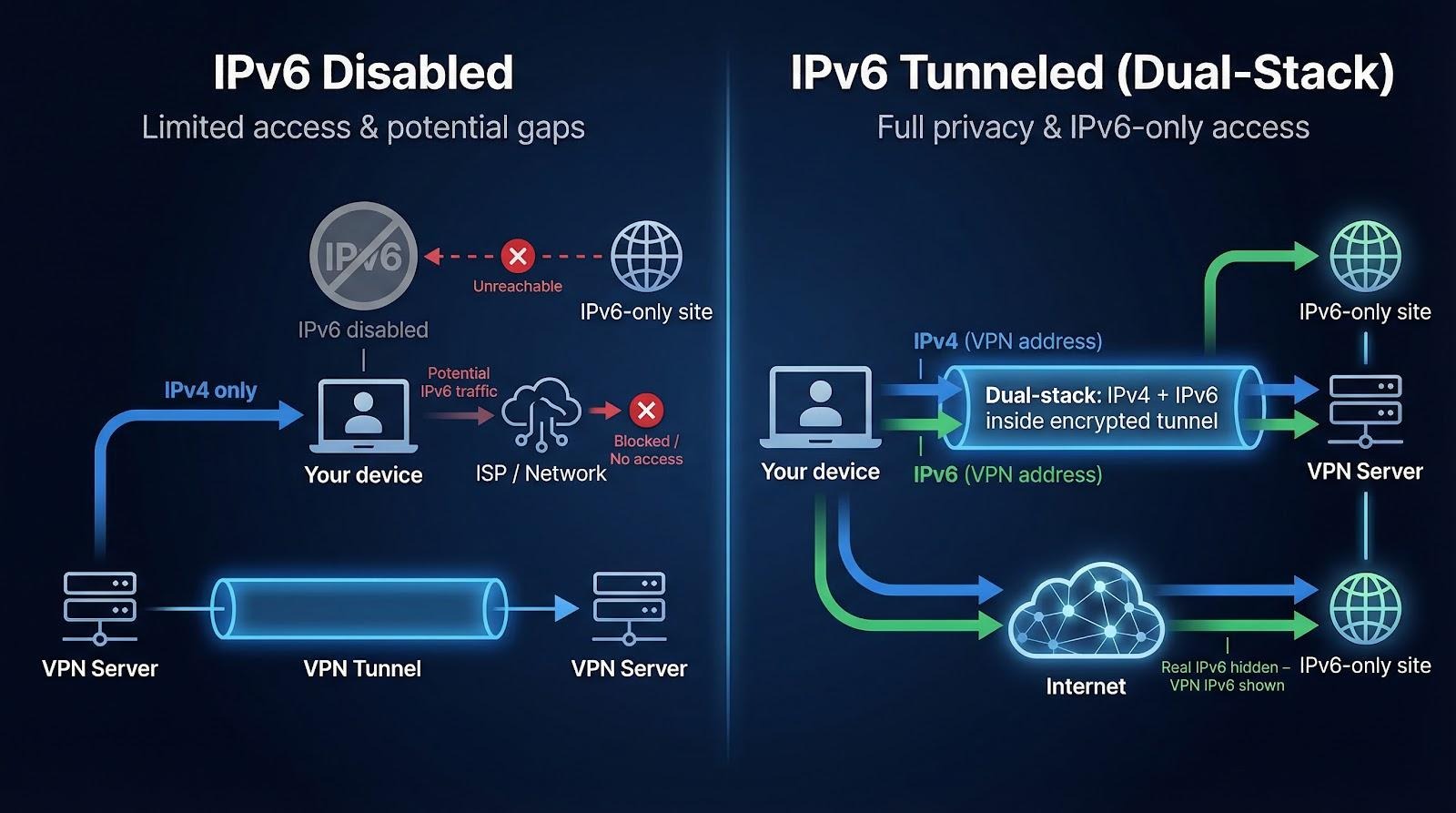
DNS is equally locked down. All queries move through Proton-owned resolvers, hidden from ISP logs and analytics tools. Our stress test of Secure Core—Proton’s double-hop through hardened Swiss or Icelandic servers—showed zero leaks, even during forced reboots.
Performance improved after Proton adopted WireGuard. Typical Plus servers reach 300–400 Mbps, more than enough for UHD streaming or large game patches. Enable Secure Core and speeds dip to about 120 Mbps, still faster than Tor while adding another layer of anonymity.
Pricing follows a freemium ladder. The forever-free tier is leak-proof but limited to medium speeds and three countries, while the Plus plan unlocks everything for about five dollars a month. Support is email-only, yet the knowledge base is detailed.
Choose ProtonVPN for open-source code, native IPv6 support, and Swiss privacy laws that keep your traffic out of sight.
6. Mullvad – strict privacy, zero fuss
Mullvad lets you open the app, enter an anonymous account number, pay, and connect. No email, no personal data.
The setup stays simple but thorough. A firewall-level kill switch loads before the desktop finishes booting, and a 2025 reboot study by Rtings found Mullvad was one of only two services with zero leaked packets during startup.
Instead of disabling IPv6, Mullvad tunnels it. Each server gives you both IPv4 and IPv6 addresses inside the VPN, so modern sites never fall back to your real connection.
Performance holds strong. WireGuard reached 600 Mbps on nearby servers and stayed above 250 Mbps when we connected across the Atlantic.
You trade convenience for purity. There are no streaming IPs, live chat, or glossy interface, and Netflix access is inconsistent. Yet if you care most about open-source clients, verified no-logs (Swedish police left empty-handed in a 2023 raid), and leak-proof design, Mullvad is the minimalist’s choice for privacy.
7. Private internet access – court-tested privacy with diy flexibility
PIA is the veteran that keeps receipts. Twice in U.S. federal cases prosecutors requested user data, and twice PIA turned over nothing, easing concerns about its U.S. base.
Leak protection follows the same standard. The desktop client adds firewall rules that block traffic outside the tunnel, and the Always kill switch keeps you offline until the VPN is live. DNS defaults to PIA servers, and an IPv6 toggle ships enabled, sealing that lane before packets leave your adapter.
We pushed the advanced settings hard: switched ciphers, forced TCP 443, enabled port forwarding for torrents, and still saw no leaks. Even with a custom NextDNS profile, queries stayed inside the tunnel because of the VPN DNS priority flag.
WireGuard speeds land in the middle of the pack: 300–500 Mbps on local servers and about 200 Mbps across the Atlantic, plenty for 4K streaming or large game updates.
The app is a playground for tinkerers. You get split tunneling, automation rules (such as auto-connect on public Wi-Fi), SOCKS5 and Shadowsocks proxies, plus ten device slots, double the allowance of ExpressVPN.
Drawbacks? The interface can overwhelm first-time users with cipher menus and port pickers, and streaming access is less reliable than NordVPN or Surfshark. If you want budget-friendly service with courtroom-proven privacy and granular control, PIA is a dependable choice.
Frequently Asked Questions
Quick answers related to this article from PerfectionGeeks.
1. Why do VPN leaks still happen in 2026?
2. What is the safest way to prevent DNS and IPv6 leaks?
3. Which VPN features are most important for leak protection?
Conclusion
All seven VPNs survived the same tough leak tests — DNS, IPv6, and kill-switch reboots — without spilling a single packet. Pick by use case: NordVPN for raw speed, Surfshark for unlimited devices, ProtonVPN or Mullvad for true IPv6 tunneling, ExpressVPN for one-click simplicity, TorGuard or PIA for hands-on control. Whichever you choose, run a leak test the day you install it.

Shrey Bhardwaj is the Director & Founder of PerfectionGeeks Technologies, bringing extensive experience in software development and digital innovation. His expertise spans mobile app development, custom software solutions, UI/UX design, and emerging technologies such as Artificial Intelligence and Blockchain. Known for delivering scalable, secure, and high-performance digital products, Shrey helps startups and enterprises achieve sustainable growth. His strategic leadership and client-centric approach empower businesses to streamline operations, enhance user experience, and maximize long-term ROI through technology-driven solutions.