
Published 5 June 2026
Technology
4 Best AI for Startups Platforms Compared: Costs, Features, Pitfalls
AI has shifted from sideshow to center stage. In the first half of 2025, 53 percent of global venture-capital funding flowed into AI startups—the highest share since the early internet boom. Money is plentiful and demo videos sparkle, yet founders tell us a harder truth: budgets are thin, deadlines thinner, and no one has a week to sift through overlapping tool lists. This guide spotlights the best AI platforms for startups in 2026, ranks them against cost, speed, security, and real ROI, and helps you skip shovel-sales pitches so you can get back to building.
Transform Your Digital Experience
Startups today have a wide range of AI platforms to choose from, but the right selection depends on their goals, budget, and stage of growth. Tools like OpenAI help teams quickly build AI-powered product features, while Google Vertex AI is better suited for scalable, secure enterprise-grade systems. Notion AI improves internal productivity by streamlining documentation and collaboration, and Plus AI speeds up pitch deck creation for fundraising and communication. Most startups achieve the best results by combining multiple platforms rather than relying on a single solution, while carefully managing costs, security, and scalability from the start.
- AI has become a core requirement for startups, with over half of VC funding in 2025 flowing into AI-driven companies.
- Choosing the right platform is critical—wrong tools can increase costs, slow development, and create scaling issues.
- OpenAI is best for building AI-powered product features quickly with strong model performance and flexibility.
- Google Vertex AI is ideal for enterprise-grade, secure, and scalable AI systems, especially for data-heavy or regulated industries.
- Notion AI improves internal productivity by turning existing documentation into an AI-powered workspace.
- Plus AI is best for fast, automated pitch decks and presentations inside familiar tools like Google Slides and PowerPoint.
- Most startups benefit from combining tools rather than relying on a single platform.
- Token costs, security, and scalability are the biggest hidden risks in AI adoption.
- Lightweight MVP-first adoption is more effective than building custom models early on.
- The best ROI comes from matching the tool to the bottleneck—speed, productivity, or product capability.
Why AI and the platform you pick matter

Investors have spoken with their wallets. In the first half of 2025, 53 percent of global venture-capital funding went to AI startups, a share not seen since the early internet boom. If you are raising capital, hiring talent, or selling to customers, AI has become the baseline.
Funding alone does not make the tooling choice simple. Founders on Reddit trade stories about runaway token bills and surprise compliance audits. A poor-fit platform drains cash, delays launches, and forces rewrites when you can least afford them.
Choose the right tool and you reclaim time. A no-code deck generator can give you back your weekend. Plus AI for Google Slides, which shows more than 1 million installs on Google Workspace Marketplace, can spin a prompt or uploaded doc into a complete, editable deck in under a minute right inside Slides or PowerPoint. That kind of sub-minute turnaround turns Sunday slide duty into time founders can spend on shipping code or talking to customers instead of nudging text boxes. A sensibly priced API can turn an MVP into a fundable product before your runway shrinks. Our research zeroes in on real startup constraints: budget, speed, and security. Use it to capture the upside without inviting chaos.
Our evaluation methodology
You deserve more than a random top-ten list. We built a simple yet rigorous scorecard anchored on the realities founders share in every Slack group and Reddit thread.
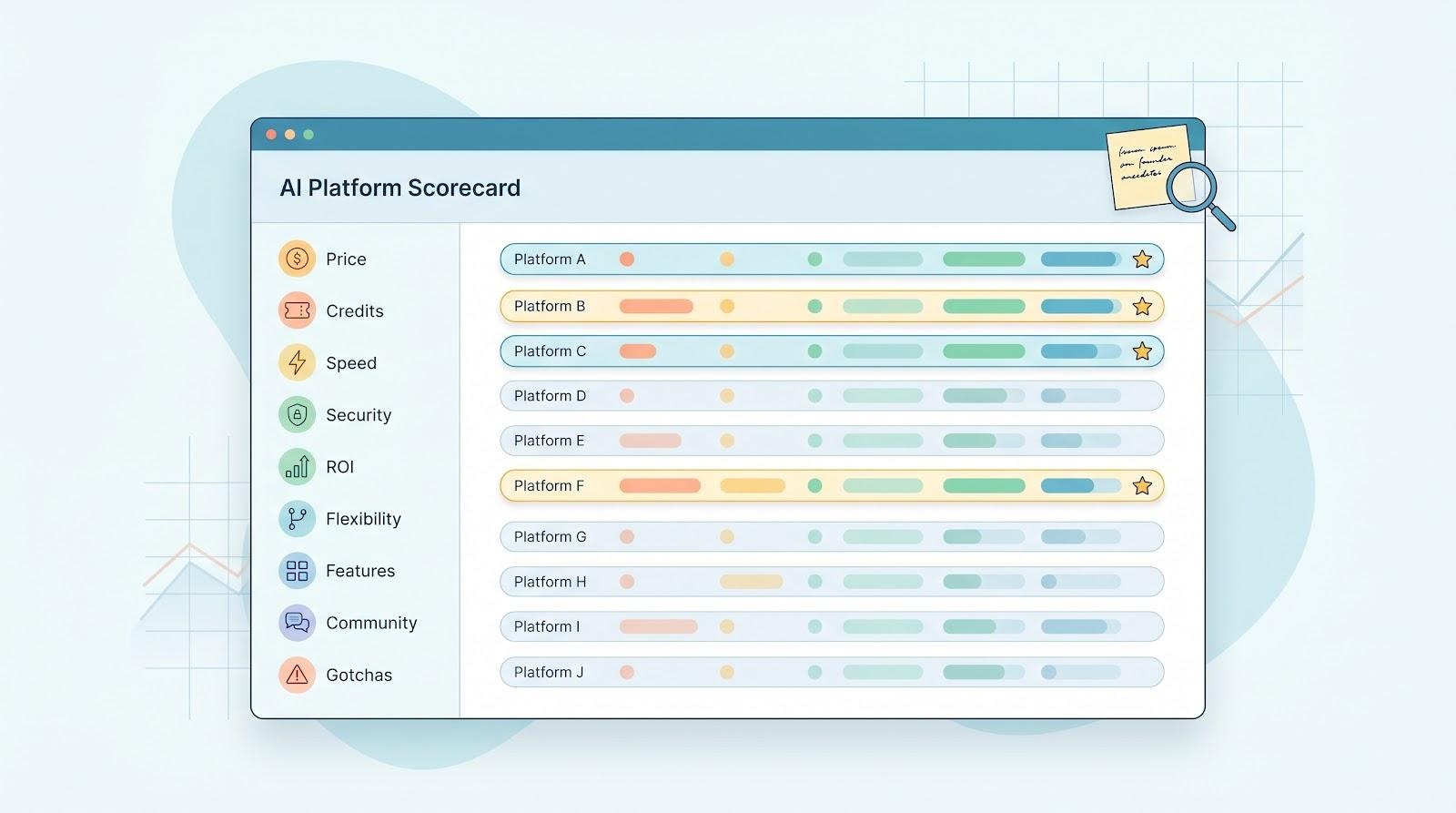
First, we mapped 9 criteria that move a startup’s needle. Price and free credits led the pack, followed by speed to integrate, data security, and proof of ROI. Flexibility, feature breadth, community support, scalability, and hidden “gotchas” rounded out the grid.
Next, we stacked 15 well-known AI platforms against those criteria. Each could earn up to 10 points per line item, forcing tough trade-offs. A slick UI never saved anyone from a surprise token bill, so cost discipline weighed heavily. By contrast, a strong security posture could push a pricier tool onto the podium if it removed enterprise-sales friction.
Finally, we stress-tested the scores with founder anecdotes and fresh market data. Platforms that dazzled in demos but failed real budgets were cut. The 4 winners you will meet next posted balanced, evidence-backed scores that pass due diligence and any CFO sniff test.
Plus AI: best for presentations and pitch decks
Plus AI is an add-on that lives inside Google Slides and Microsoft PowerPoint, turning a blank slide into a polished deck in seconds, and because plusai renders each deck with its own Open XML engine, the output stays as fully editable native .pptx or Slides files.
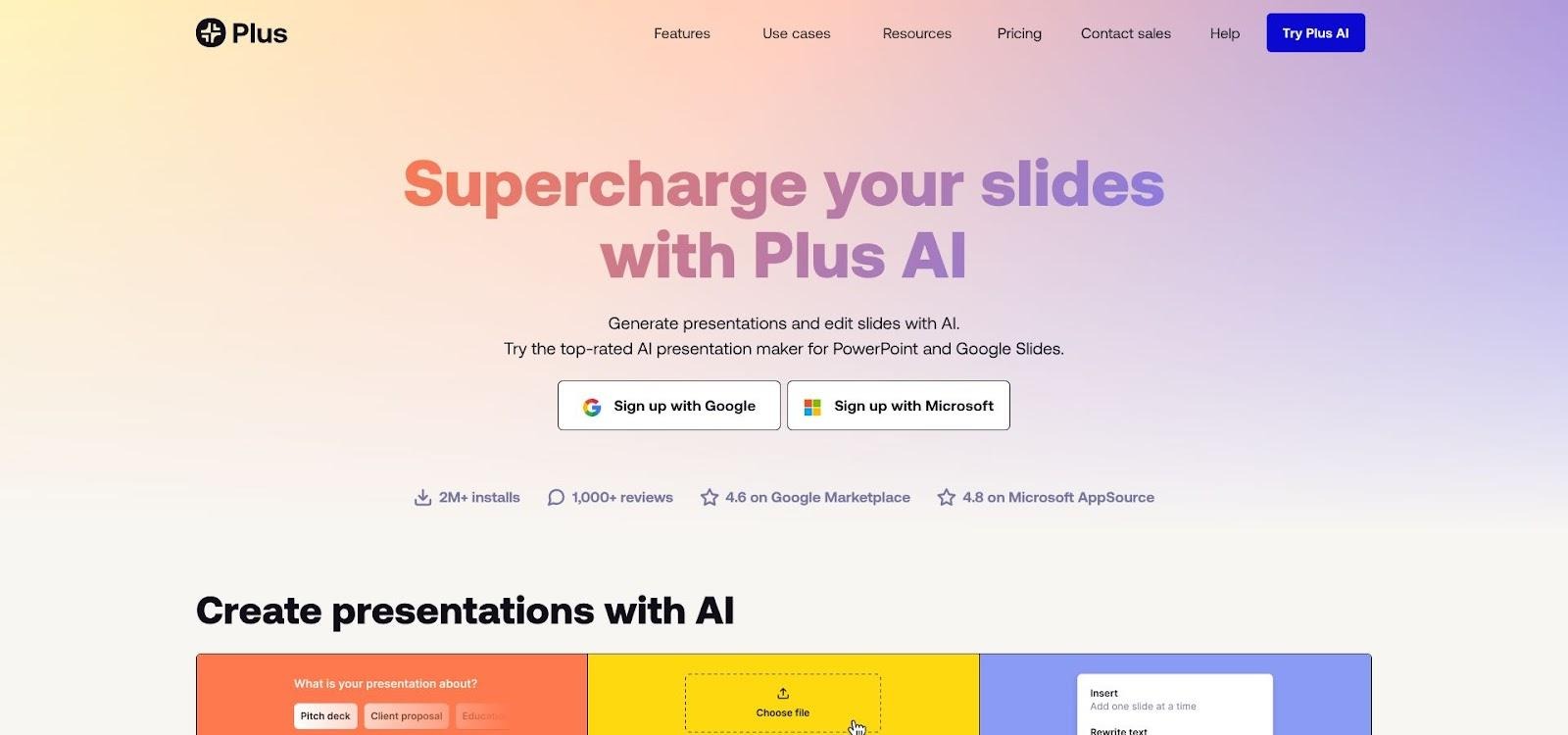
Plus AI add-on inside Google Slides and PowerPoint screenshot
What it is and why it matters.
Plus AI is an add-on that lives inside Google Slides and Microsoft PowerPoint, turning a blank slide into a polished deck in seconds. No new software to learn, no file-format juggling, just the familiar ribbon you already click each day, now with an AI co-pilot.
Traction backs the promise. The tool has more than 1 million installs and a 4.6-star rating on Google Workspace Marketplace, clear proof that teams trust it for real work.
For a founder sprinting toward demo day, that trust matters. Every hour you skip in Keynote purgatory can move to customer calls or code. Plus AI’s tight integration keeps the workflow smooth, so you focus on the story, not another design UI.
Pricing, speed, and the little extras that add up.
Plus AI keeps pricing clear. You start with a 7-day free trial stocked with 1,000 AI credits, enough to draft several investor decks before you pay a cent. After that, plans begin at $10 per user each month when billed annually, rising only if your whole team leans on the tool daily.
Inside the editor, speed shows up everywhere. Type a one-sentence prompt and watch a 10-slide narrative appear, complete with on-brand colors and editable charts. Need to tweak? Highlight a slide and ask the AI to rewrite or resize; it responds in seconds.
Founders also praise the “document-to-deck” trick. Drop a Notion doc or old PDF into the sidebar and Plus AI lifts headlines, key stats, and screenshots into fresh slides, moving you from messy notes to a presentable story in a single coffee break.
The kicker: everything exports as native .pptx or Slides files. Investors can add comments, your designer can swap fonts, and compliance can store the deck where they already archive board materials. No lock-in, no awkward hand-offs.
For an early-stage team chasing every hour of runway, those small frictions removed are pure gold, converting design drudgery into progress on customer problems.
Pitfalls and where founders trip.
No AI tool is magic, and Plus AI has edges you need to spot.
First, specificity rules. Feed it a vague prompt and you will get equally vague slides: polished design, thin substance. Plan to add your own metrics and punch lines or risk a generic pitch that blends into the crowd.
Second, branding consistency still needs a human eye. The AI matches colors well, but logos, font hierarchy, and image tone can drift off brand. A quick style pass from your designer keeps investors focused on the story, not a rogue typeface.
Last, confirm security fit. Plus AI processes slides in the cloud and, today, lists no formal SOC 2 badge. That is fine for most seed-stage decks, but if you handle regulated client data, loop in compliance before uploading sensitive numbers.
Treat these watchouts as a short pre-flight checklist and the tool stays a time saver, not a rework generator.
OpenAI: best for building AI-powered products
What it is and why startups flock to it.
OpenAI’s API is the Swiss Army knife of modern software. With a single endpoint, you can spin up a chatbot, draft marketing copy, label data, translate documents, or let users talk to your app in plain English. The power that once demanded a research lab now fits inside a few lines of JSON.
OpenAI API playground interface for startup developers
That flexibility is why thousands of startups bake OpenAI models into core features from day one. You ship faster, impress investors, and skip years of model-training headaches. Generous credits through partners like Ramp let most teams prototype for months before seeing a bill.
In short, OpenAI turns raw imagination into shippable code at founder speed, which makes it the backbone of the current AI boom.
Pricing, credits, and real-world spend.
OpenAI charges by the token, roughly pennies for a few paragraphs on GPT-3.5 and dimes for GPT-4o. Early pilots often stay inexpensive.
Credits sweeten the deal. Sign up through Ramp to receive up to $2,500 in free API calls, enough to power most pre-seed prototypes for months. Many accelerators add more, so the first invoices arrive near zero.
Costs rise when features leave the lab. Founders in r/SaaS share harsh margin slides: every AI button click burns tokens and erodes what once looked like tidy software economics. The fix is architectural. Use cheaper models for background tasks, cache frequent prompts, and set hard rate limits per user. With guardrails, teams keep monthly AI spend in the low hundreds while revenue scales.
Bottom line: OpenAI is affordable at launch and scalable long term, but only if you treat tokens as a metered resource.
Where OpenAI shines.
Model quality leads the list. GPT-4o writes fluent copy, debugs code, and parses dense legal text better than any rival we tested. Your product inherits that competence overnight, which users translate into delight and willingness to pay.
Breadth comes next. One endpoint lets you generate images, score sentiment, extract entities, or run full conversations with function calls. That versatility means fewer vendors, fewer contracts, and one security review instead of five.
The ecosystem is the final advantage. Every no-code tool, GitHub repo, and Stack Overflow thread seems to feature a drop-in snippet for the API. When you hit a roadblock, someone likely posted the fix yesterday. That community velocity shortens build cycles and keeps engineering focused on core IP, not boilerplate prompt wrangling.
Pitfalls and how to dodge them.
Two danger zones trip founders again and again.
Cost creep ranks first. One SaaS team on Reddit reported gross margin sliding from 78 to 52 percent after adding AI features because “every API call costs us money.” If you ignore metering, OpenAI’s brilliance becomes a silent tax.
The cure is technical. Cache repeat prompts, fall back to GPT-3.5 for low-stakes tasks, and cap high-volume endpoints. Most teams can keep spend under a few hundred dollars a month with those steps.
Compliance is the second blind spot. Data you send through the standard OpenAI API leaves your VPC and sits in U.S. regions. For consumer apps that is fine, but a healthcare pilot aiming at HIPAA clients needs stronger guarantees, often solved by the Azure OpenAI wrapper or by encrypting payloads before they leave your servers.
Add a short checklist—rate-limit settings, prompt logs, and a security review—and OpenAI stays an accelerant, not a liability.
Google Cloud Vertex AI: best for scale and regulated workloads
What it is and why it matters.
Vertex AI lives inside Google Cloud and bundles the company’s Gemini models with a full toolbox for training, hosting, and monitoring custom ML. Think of it as cloud, MLOps, and state-of-the-art LLMs under one login.
For startups that manage huge data sets or pitch to security-sensitive enterprise buyers, that bundle matters. You keep compute close to BigQuery tables, tap a 1 million-token context window when you need it, and answer security questionnaires with “we run on Google.”
Startup credits seal the deal. Qualified companies receive up to $350,000 in free spend, enough to process millions of requests before the first invoice lands. That runway lets you test models, refine prompts, and close design partners without watching burn rate spike.
In short, if Plus AI saves hours and OpenAI ships features fast, Vertex AI protects the whole stack for the long haul.
Pricing, credits, and enterprise-grade perks.
Google writes the biggest startup check in the room: up to $350,000 in Vertex AI and broader GCP credits for eligible companies. Even the entry-tier Founders pack often tops $100,000, covering compute, storage, and model calls for a year or more of heavy experimentation.
After credits, costs follow normal cloud billing. The twist is choice. You can run Gemini models at competitive per-token rates, deploy open-source checkpoints on managed GPUs, or train a foundation model. Switching between them is a config file, not a migration project.
Security is built in. Data stays encrypted at rest and in transit, region controls satisfy GDPR lawyers, and a menu of SOC 2 and HIPAA-eligible services calms even the toughest enterprise auditor. Pair that with private networking inside your VPC and you gain zero-egress peace of mind without self-hosting headaches.
The trade-off is complexity. Spinning up Vertex notebooks, IAM roles, and service accounts takes more clicks than calling a single REST endpoint. If you lack DevOps muscle, start simpler elsewhere. For teams aiming at Fortune 500 contracts or petabyte pipelines, the learning curve pays off in scalability and sales credibility.
Pitfalls and how to stay out of them.
Cloud lock-in is real. Six-figure credits feel like candy until the meter starts ticking. If your architecture leans on Vertex-only services such as proprietary embeddings or AutoML pipelines, migrating later is painful. Build with modular abstractions now so you can swap providers if pricing or policy shifts.
Complexity also taxes small teams. A two-person startup without DevOps chops can spend days configuring IAM roles and service accounts. Budget for that learning curve or bring in a contractor before deadlines tighten.
Finally, remember data gravity. Once terabytes settle into BigQuery and model checkpoints live on GCS, egress fees make moving them elsewhere costly. Factor future mobility into your cost model before you pump every raw log into Google storage.
Treat Vertex AI like a powerful jet engine: it flies farther and faster, but only after you learn the cockpit and respect the fuel gauge.
Notion AI: best for everyday team productivity
What it is and why startups love it.
If your team already lives in Notion for docs, tasks, and wikis, turning on Notion AI feels like hiring a patient writing coach inside every page. Highlight a wall of meeting notes and ask “summarize,” and seconds later you have crisp action items. Need a first-draft job post, a press-release outline, or a polished customer email? The AI handles the heavy typing so you can focus on the thinking.
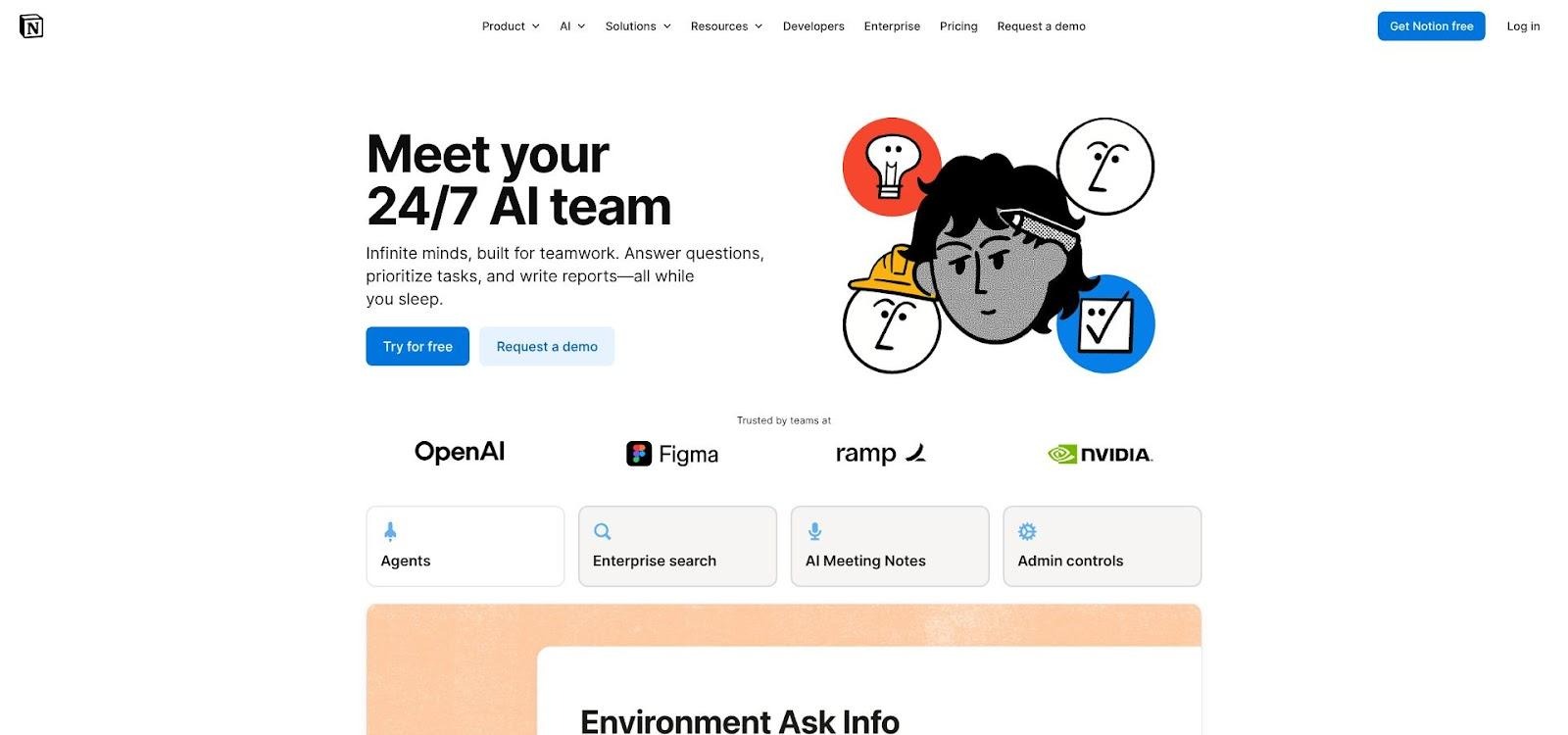
Notion AI summarizing notes inside a Notion workspace
The real value is context. Because the assistant sees the rest of your workspace, it can answer questions like “what did we agree on for Q3 pricing?” without you digging through 12 pages. That turns scattered knowledge into an on-demand company brain, including for new hires who missed the original conversation.
By rolling AI into the Business plan at $20 per user, Notion removed the add-on math. Most early-stage teams already upgrade for permissions and version history; now the AI arrives at no extra line item. For a lean startup juggling hats, it is the fastest way to give everyone a capable writing buddy without adding another tool or training session.
Pricing, real-world wins, and quiet limits.
A single Business-plan seat at $20 a month buys unlimited pages, permissions, and a healthy bucket of AI calls. Most small teams never hit the soft quota, so the cost feels like it fades into the license they were paying anyway.
Teams report hard numbers: a 4-person SaaS crew shaved 5 hours a week off meeting recap and blog-draft time once they leaned on the “summarize” and “continue writing” commands. Multiply that across a year and it equals more than a full sprint of reclaimed engineering time, far cheaper than hiring a content assistant.
The catch hides in quality and scope. Notion AI can hallucinate details if your workspace is thin, and it knows nothing about data outside those pages. Treat its drafts as a starting point, not gospel, and keep proprietary metrics in a separate source of truth to avoid stale echoes.
Used with that light touch, Notion AI turns daily grunt work into lightweight clicks without adding yet another standalone tool to the stack.
Honorable mentions
Plenty of other AI tools earn founder praise even if they missed our final four.
Anthropic Claude deserves a nod for its huge context window and safety-first posture. If your app digests legal tomes or technical manuals, Claude’s 1 million-token memory shines. Pricing is still steeper than GPT-3.5 and startup credits are scarce, so we kept it in the bullpen.
Jasper remains the go-to copy factory for content teams that need dozens of blog posts a month and prefer ready-made templates over raw prompting. Many early-stage founders now jump straight to ChatGPT Plus or a home-grown OpenAI wrapper, which undercuts Jasper on cost. Still, if you want guard-railed marketing workflows out of the box, give it a trial.
GitHub Copilot almost wrote this paragraph. At $10 per developer, it feels like cheating if you ship code daily. We consider it a category given, too dev-specific to sit alongside Plus AI or Notion AI, yet indispensable for any software startup.
Microsoft 365 Copilot mirrors Notion’s value for Office-centric teams. At $30 per user, most seed-stage outfits balk, yet larger Series A companies see ROI inside Outlook and PowerPoint. If you already pay for E5 licenses, check the box and watch meeting notes write themselves.
Quick comparison table
Sometimes you just need the scoreboard. The grid below distills the four platforms against the questions founders ask first: what does it cost, where does it shine, and what trips teams up.
| Platform | Startup-friendly pricing | Stand-out strength | Biggest watchout |
| Plus AI | Free 7-day trial, then $10 per user monthly | More than 1 million installs show it drafts investor-ready decks inside tools you already use | Output can look generic if your prompt is generic; no SOC 2 badge yet |
| OpenAI API | Up to $2,500 in Ramp credits; pay as you go after | State-of-the-art models and a huge support ecosystem | Token costs can erode SaaS margins if you skip rate limits |
| Google Vertex AI | Up to $350,000 in Google for Startups credits | Enterprise-grade security plus multimodal Gemini models | Complexity and possible cloud lock-in once credits expire |
| Notion AI | Bundled in Business plan at $20 per user | Turns your workspace into an on-demand company brain | May hallucinate if pages lack facts; limited to Notion data |
Which platform should you choose?
Start by naming the bottleneck that drains the most time or margin today, then match it to the platform designed to solve that issue.
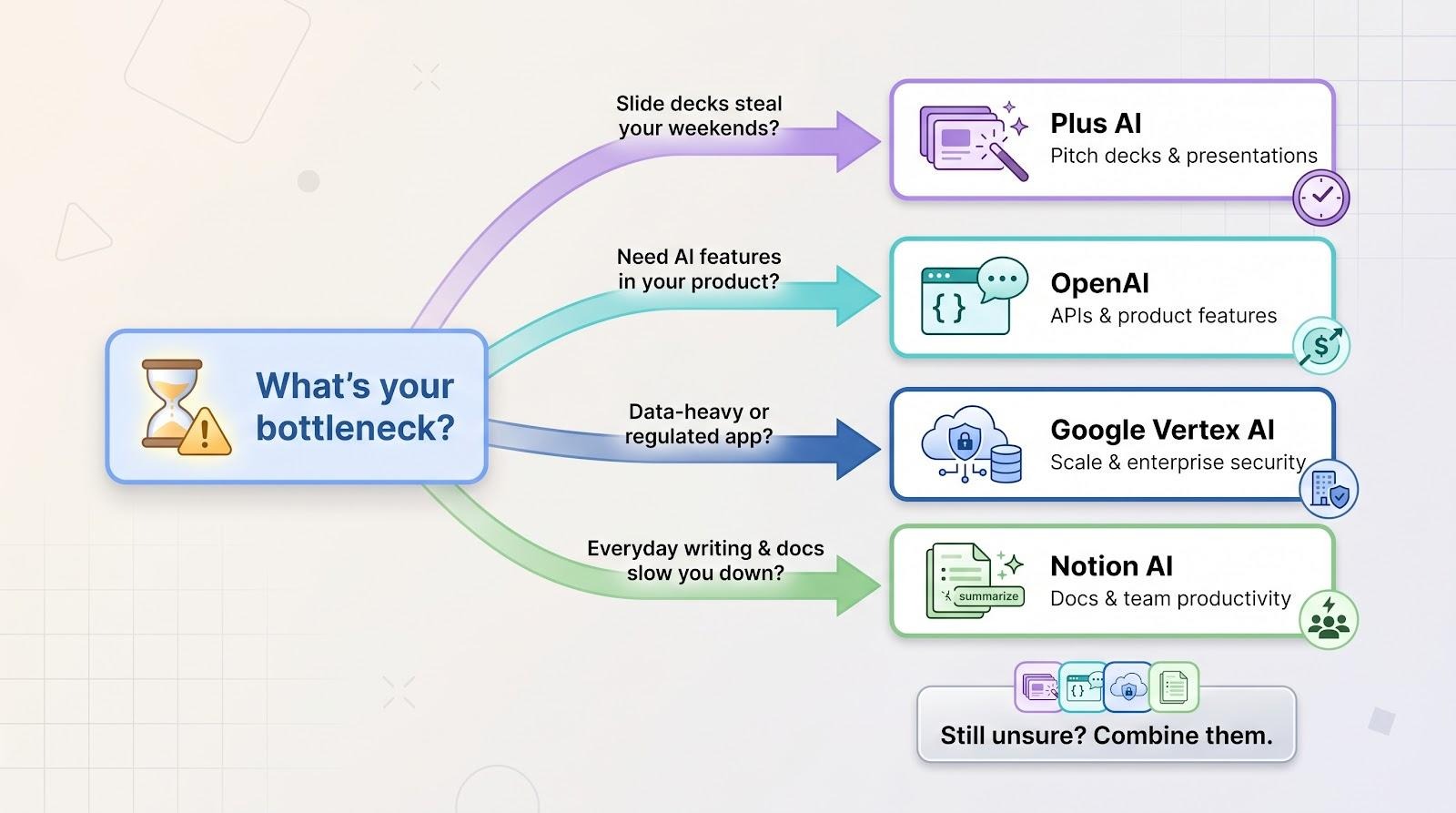
If slide decks steal your weekends, open Plus AI. It drafts a full pitch in minutes, costs less than lunch, and lives inside Slides or PowerPoint. You will be productive before coffee cools.
Need to add AI directly to your product and have a developer on payroll? OpenAI is the default. Use the free credits, prototype quickly, and set firm token caps from day one.
Running a data-heavy or regulated app, or chasing Fortune 500 contracts? Google Vertex AI is the pick. The credits buy breathing room, and the compliance story shortens enterprise sales cycles.
Frequently Asked Questions
Quick answers related to this article from PerfectionGeeks.
1. Do I need a developer to use these AI tools?
2. Are the platforms safe for sensitive data?
3. How much will these tools cost once credits or trials end?
4. Which platform delivers the best ROI?
5. Should I train my own model instead?
Conclusion
Just want every teammate writing and summarizing faster without new tools? Turn on Notion AI. It quietly upgrades the workspace you already use and pays for itself in reclaimed hours.
Still unsure? Combine them. Many founders pair Plus AI for decks, Notion AI for internal docs, and either OpenAI or Vertex behind the product. The mix shifts as your startup scales, but the goal stays the same: solve today’s choke point with the lightest lift and the clearest ROI.

Written By Shrey Bhardwaj
Director & Founder
Shrey Bhardwaj is the Director & Founder of PerfectionGeeks Technologies, bringing extensive experience in software development and digital innovation. His expertise spans mobile app development, custom software solutions, UI/UX design, and emerging technologies such as Artificial Intelligence and Blockchain. Known for delivering scalable, secure, and high-performance digital products, Shrey helps startups and enterprises achieve sustainable growth. His strategic leadership and client-centric approach empower businesses to streamline operations, enhance user experience, and maximize long-term ROI through technology-driven solutions.